
The API for universal web transformation

One URL in. Metadata, screenshot, PDF and content out.

Omnillink is a REST API that reads a web page for you: normalised metadata, screenshots, PDF export, custom extraction and readable text for your AI agents. The code is open, so you can host it wherever you like.

  • MIT licence
  • Self-hostable
  • SSRF protection
  • OpenAPI 3.1

View the code on GitHub

One address, three results

GET/api/v1/meta?url=example.com/blog/launch

Link preview

example.com

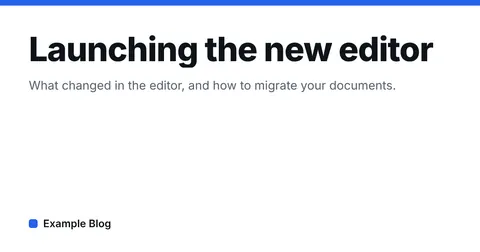
Launching the new editor

What changed in the editor, and how to migrate your documents.

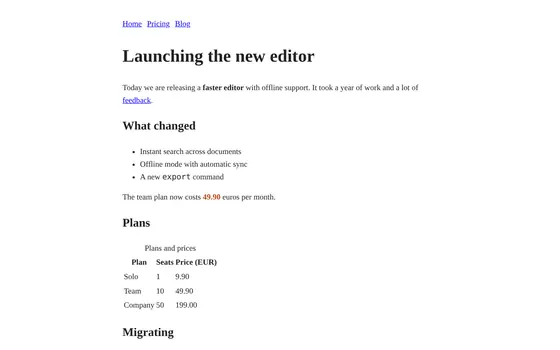
Screenshot

Data

{
  "title": "Launching the new editor",
  "publisher": "Example Blog",
  "author": "Ada Example",
  "lang": "en",
  "date": "2025-03-04T09:00:00.000Z"
}

Real API responses, captured on a test page.

Live demo

Try it on a real page

No key, no sign-up. Every response shows what was measured: duration, render, cache, request id and remaining quota.

Request

Examples

Response

GET

Capabilities

Every capability, with its real output

The miniatures are real API responses, captured on a test page. Each card leads to its documentation and to the playground, already set up.

Read a page

  • example.com

    Launching the new editor

    What changed in the editor, and how to migrate your documents.

    Ada Example · Example Blog

    GET /meta

    Metadata and link preview

    Title, description, image, author, date, JSON-LD and feeds, merged from Open Graph, Twitter Cards and the HTML.

  • # Launching the new editor
    
    Today we are releasing a **faster editor** with offline support. It took a year of work and a lot of [feedback](https://example.com/feedback).
    
    ## What changed
    
    - Instant search across documents
    - Offline mode with automatic sync
    - A new `export` command

    GET /content

    Readable content

    The main text as Markdown, without menus or ads, with the word count and the links.

  • {
      "title": "Launching the new editor",
      "price": 49.9,
      "links": [
        "https://example.com/blog/launch",
        "https://example.com/pricing",
        "https://example.com/blog"
      ]
    }

    GET /extract

    Custom extraction

    Your fields, described with a CSS selector, an attribute and a type. The answer uses your names.

  • {
      "headline": "Launching the new editor",
      "description": "What changed in the editor, and how to migrate your documents.",
      "author": "Ada Example",
      "publisher": "Example Blog",
      "datePublished": "2025-03-04T09:00:00.000Z"
    }

    GET /extract

    Extraction presets

    Article, product, recipe, event: ready-made fields, with their source.

  • PlanSeatsPrice (EUR)
    Solo19.90
    Team1049.90
    Company50199.00

    GET /tables

    Tables as JSON or CSV

    The HTML tables of a page, rows and headers, ready for a spreadsheet.

    • intHomeexample.com/blog/launch
    • intPricingexample.com/pricing
    • intBlogexample.com/blog

    GET /links

    Links of a page

    Every link, internal and external, with its text and rel attributes.

  • Rendered HTML of the test page
    text/plain · 2.3 kB

    GET /html

    Rendered HTML

    The HTML as a browser sees it after scripts have run, served as plain text.

  • type
    rich
    provider
    Example Blog
    title
    Launching the new editor
    size
    600 × 340

    GET /oembed

    oEmbed resolution

    The player or card a site offers for embedding elsewhere, normalised.

Capture a page

  • GET /screenshot

    Screenshot

    Desktop or mobile, full page or a single element, light or dark scheme, banners hidden.

  • GET /animation

    Animated capture

    A scroll through the page as an animated image, without a video encoder.

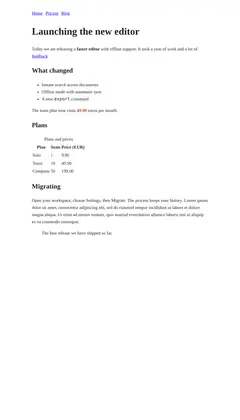
  • PDF generated for the test page
    application/pdf · 28.5 kB

    GET /pdf

    PDF export

    The page rendered with its print stylesheet, in A4 or Letter, portrait or landscape.

    • 200https://example.com/blog/launch
    • EUNREACHABLEhttp://example.com:1/

    POST /meta/batch

    Batch metadata

    Up to ten addresses in one call. Each address has its own result, successful or not.

Inspect a site

    • highWordPress 6.5meta generator: WordPress 6.5
    • highVue.js 3.4.21asset: https://cdn.jsdelivr.net/npm/vue@3.4.21/dist/vue.global.prod.js
    • highjsDelivrasset: https://cdn.jsdelivr.net/npm/vue@3.4.21/dist/vue.global.prod.js

    GET /tech

    Detected technologies

    Recognised CMS, libraries and CDNs, with the version, the confidence level and the evidence found.

  • TTFB
    7 ms
    FCP
    32 ms
    LCP
    32 ms
    CLS
    0
    requests
    1
    transfer
    2.7 kB

    GET /insights

    Page measurements

    Weight by type, timeline and web vitals, measured in the lab on one load.

  • status
    200
    hops
    1
    time
    1 ms
    type
    text/html

    GET /check

    Link check

    Status, redirect chain, duration and certificate of an address.

  • robots.txt ✓
    5 URLs · 1 sitemap

    GET /sitemap

    Sitemap and robots.txt

    The declared sitemaps and their addresses, within fixed bounds.

  • format
    png
    width
    1200 px
    height
    630 px
    size
    5.0 kB

    GET /favicon

    Site icon

    The best declared icon, with its real dimensions and size.

  • format
    png
    width
    1200 px
    height
    630 px
    size
    5.0 kB

    GET /image

    Image facts

    Format, width, height and size, read from the file header.

  • #1f3b61 · #b7481f · #f3bd49 · #f2f5f7

    GET /palette

    Colour palette

    The dominant colours of an image, with their share of the surface.

Generate assets

  • GET /qr

    QR code

    The QR code of an address, as SVG or PNG, in the colours you choose.

  • GET /og

    Sharing image

    A 1200 × 630 image generated from a title, a template and a theme.

For AI agents

  • {
      "jsonrpc": "2.0",
      "id": 1,
      "method": "tools/call",
      "params": {
        "name": "omnillink_content"
      }
    }

    POST /mcp

    MCP endpoint

    The functions of the API exposed as tools for agents, on POST /mcp.

  • {
      "format": "markdown",
      "citations": true,
      "wordCount": 115
    }

    GET /content

    Readable content

    The main text as Markdown, without menus or ads, with the word count and the links.

Captured on .

What can be checked

Evidence rather than figures

We show neither volumes nor testimonials. Here is what you can check for yourself.

  • A published security model

    The SSRF protection is described point by point, limits included. The tests that attack it are in the repository, with the rest of the suite.

    Read the Security page

  • Measurements on every response

    Duration, render mode, cache state, request id and remaining quota come with every response. The playground shows them as they are.

    Open the playground

  • The whole product is open

    The API, this site, the SDK and the command-line tool live in one repository, under the MIT licence. Nothing is kept for a paid plan.

    View the repository

  • Chosen limits

    Omnillink does not run code supplied by the caller: that is a security choice. What happens before a capture is described with parameters, not with a script.

    See the limits and quotas

How it works

How it works

Three steps, a single request on your side.

  1. Step 1

    You send a URL

    A GET request with the address of the page and, if needed, a few options. No key is required to get started.

  2. Step 2

    Omnillink reads the page safely

    The address is validated against SSRF attacks, then the page is read over HTTP. Chromium only takes over when the page needs it.

  3. Step 3

    You get a ready-to-use result

    Normalised JSON, an image or a PDF. The result is cached for the next calls.

HTTP first, a browser only when needed

The page is first read with a plain HTTP request. Chromium only starts when the result is poor or the page is an empty app shell. The meta.source field tells you which path was taken.

  1. Cache lookup
  2. HTTP request
  3. Extraction
  4. Chromium render, if needed
  5. Cache write

Strict SSRF protection

Private, loopback and cloud metadata addresses are refused. Over HTTP, DNS resolution is pinned to the connection. In the browser, all traffic goes through an internal proxy that checks every connection, redirects included.

  • Caching and de-duplication

    Results are cached, in memory or in Redis. Identical requests that arrive at the same time trigger a single run.

  • One field, straight into a tag

    With embed=image.url the API redirects to the page image, so the request itself works as the source of an img tag.

  • Stable errors

    Every failure carries a stable code, from EINVALIDURL to ETIMEOUT, and the matching HTTP status.

Integration

A use case, and the code that goes with it

Choose a use: the minimal code shows on the right.

JavaScript
async function linkCard(url) {
  const params = new URLSearchParams({ url });
  const response = await fetch(`https://omnillink.kayzen-lyon.com/api/v1/meta?${params}`);
  const { status, data } = await response.json();
  if (status !== "success") return null;
  return { title: data.title, image: data.image?.url ?? null, site: data.publisher };
}

The playground generates the code of any request in eight languages: curl, JavaScript, TypeScript SDK, Python, PHP, Go, Ruby and Rust.

Tooling

From the terminal to the component

What exists in the repository today, to be built from its sources.

  • packages/sdk

    TypeScript SDK

    A typed, dependency-free client for the browser and Node.js.

    Read the guide

  • packages/sdk

    link-preview element

    A custom element that renders the preview card of an address.

    Read the guide

  • packages/react

    React component

    <LinkPreview> and the useLinkMeta() hook, safe for server-side rendering.

    Read the guide

  • packages/cli

    Command line

    The omnillink command: metadata, screenshots, PDF, extraction and content from the terminal.

    Read the guide

  • packages/mcp

    MCP server

    A stdio server for Claude Code, Claude Desktop or Cursor, and a hosted POST /mcp endpoint.

    Read the guide

  • .github/actions

    GitHub Action

    The preview of an address, and its screenshot if you ask, in a job summary.

    Read the guide

From the terminal

A few examples taken from the help of the command. It also reads a list of addresses from standard input.

The tool is built from packages/cli. Today it covers the meta, shot, pdf, extract and content commands.

Terminal
omnillink meta https://github.com
omnillink meta https://github.com --json | jq .data.image.url
omnillink shot https://github.com -o github.png
cat urls.txt | omnillink meta --json --concurrency 8 > meta.ndjson
$ omnillink meta https://example.com/blog/launch
Launching the new editor
  https://example.com/blog/launch
  What changed in the editor, and how to migrate your documents.

  Publisher  Example Blog
  Author     Ada Example
  Date       2025-03-04
  Language   en
  Image      https://example.com/img/launch.png
  Favicon    https://example.com/img/launch.png
  Logo       https://example.com/img/launch.png
  Type       text/html
  http · 0 ms · cached

Real output of the command, captured on the test page.

Open source

Host it yourself

Omnillink is released under the MIT licence. You need Node.js 22 or newer; Redis is optional.

  1. Get the code

    Terminal
    git clone https://github.com/kayzen-lyon/linkforge.git
    cd linkforge
  2. Install the dependencies and Chromium

    Terminal
    npm install
    npx playwright-core install chromium
  3. Create your configuration

    Terminal
    cp .env.example .env
  4. Start the API

    Terminal
    npm run dev

The API then listens on http://localhost:3000.

One function is enough

A single serverless function can serve both the API and this site. The Vercel configuration ships with the repository.

Redis when you need it

Without Redis the cache lives in memory, per instance. Add REDIS_URL to share it.

Everything is set through the environment

Cache durations, timeouts, browser concurrency, rate limit, allowed ports: every setting is an environment variable.

Read the guideView the repository on GitHub

Your own instance, or a metered API

Two approaches, each with its cost. Here is the difference, without embellishment.

TopicYour Omnillink instanceHosted, metered API
Cost per requestYour Omnillink instanceNone. You pay for your hosting.Hosted, metered APIBilled per call or per tier.
Addresses readYour Omnillink instanceThey stay on your infrastructure.Hosted, metered APIThey pass through a third party.
Rates, timeouts, cacheYour Omnillink instanceYou set them with environment variables.Hosted, metered APISet by the plan you subscribe to.
OperationsYour Omnillink instanceYours to handle: updates, Chromium, monitoring.Hosted, metered APIHandled by the provider.
CodeYour Omnillink instanceOpen and modifiable, MIT licence.Hosted, metered APIVaries with the provider.

FAQ

Frequently asked questions

Is Omnillink free?

The software is free and released under the MIT licence: you can use it, change it and host it yourself. The instance that serves this site is a demonstration, with a rate limit.

Do I need an API key?

No. The API answers without authentication. The optional x-api-key header raises the rate limit; keys are defined by the operator of each instance.

Which pages can Omnillink read?

Public pages over http or https. Private, local or internal addresses are refused by the SSRF protection. Pages built with JavaScript are rendered in Chromium when needed.

Are the results up to date?

Every result is cached, for one hour by default. The ttl parameter changes that duration for a request, and force=true reads the page again immediately.

Can I use a screenshot directly in an image tag?

Yes. /screenshot returns the image itself, so its address works in a src attribute. With embed, /meta redirects to the image or icon of a page in the same way.

What do I need to host it?

Node.js 22 or newer, and Chromium, installed by Playwright. Redis is optional. The configuration for a serverless deployment on Vercel ships with the repository.

Does this site track me?

No. It sets no cookies and loads no analytics tool. Your theme, language and accessibility preferences stay in your browser. The details are in the legal notice.

Try Omnillink on your own links

The demo runs on this instance. The code is on GitHub if you would rather host it yourself.

Keyboard shortcuts

CtrlKor/
Open search and commands
?
Show this help
←→
Move from one tab to the next
Ctrl↵
Run the request in the playground
Esc
Close a panel or a menu

Single-key shortcuts can be turned off in the accessibility options.